
School management software: every register your school keeps, in one system
Admissions, fees, attendance, examinations, timetable, transport, hostel, library, HR and payroll — 39 modules on one student record, for single schools and multi-campus groups.
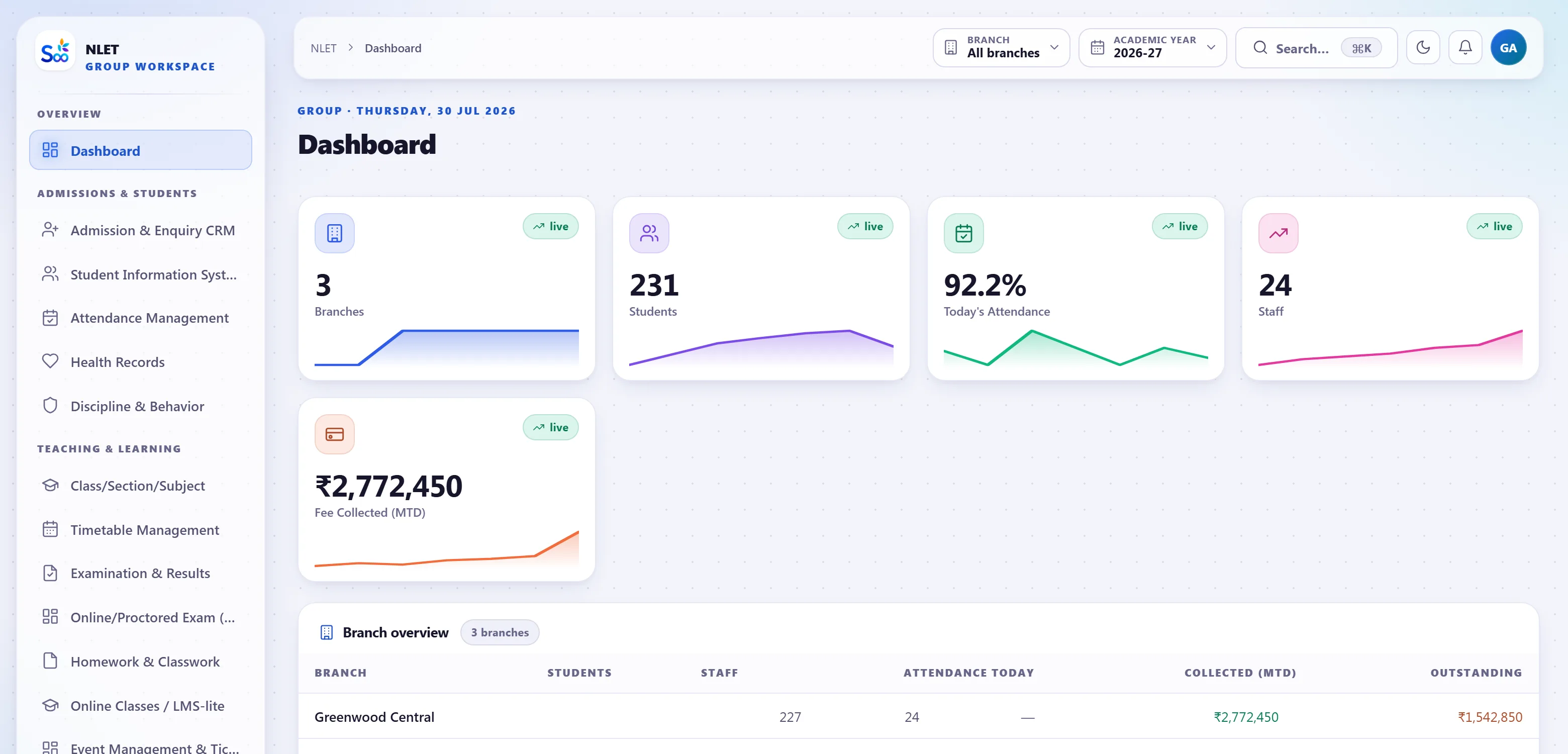
The shape of the software
Every figure below is what ships, not a roadmap.One record, not six spreadsheets that disagree
Most schools do not lack software. They have an admission register in one place, fee receipts in another, marks in a third, and a WhatsApp group holding it together. The cost is not the licences — it is the afternoon somebody spends reconciling three numbers that should have been one.
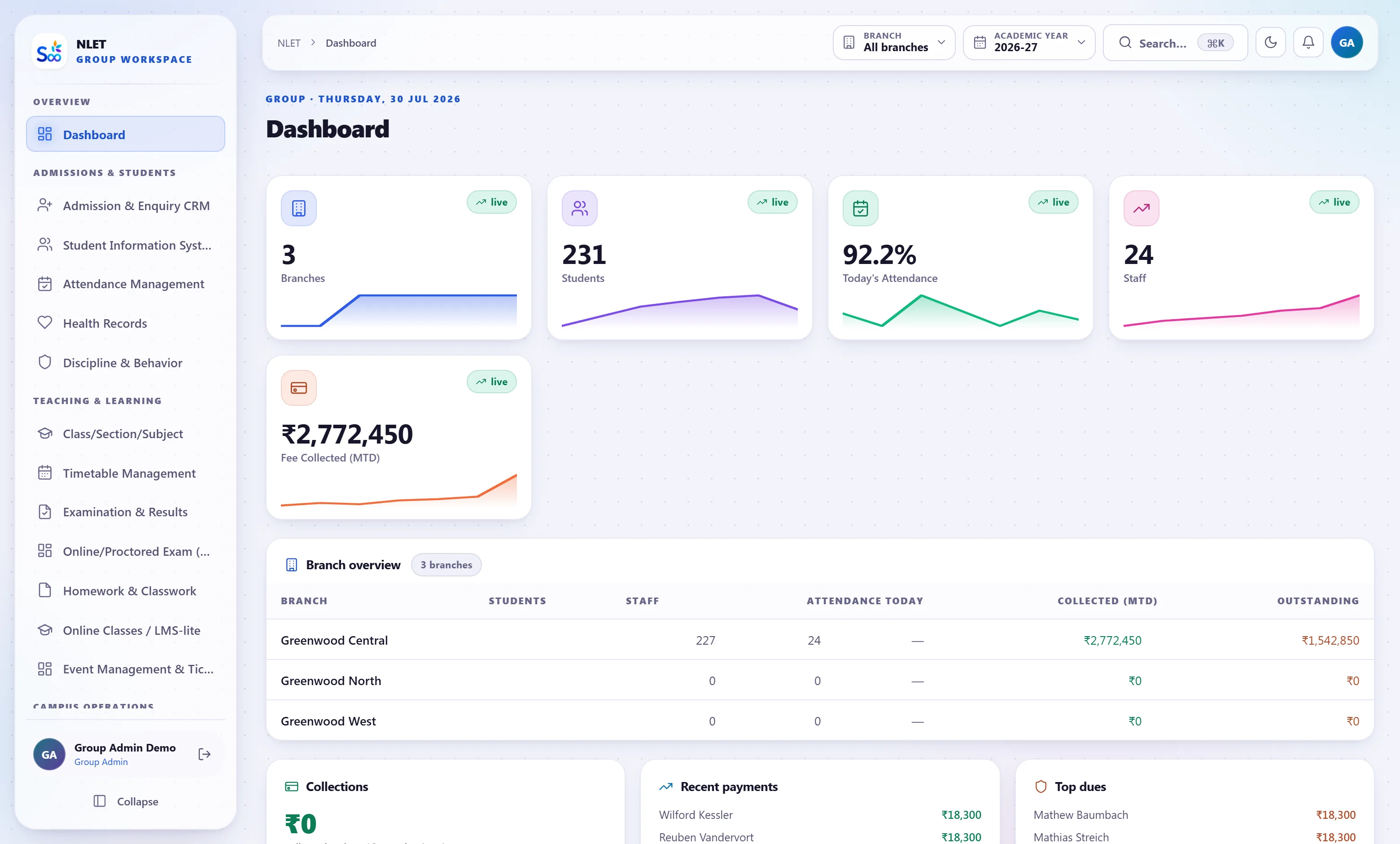
- 01 A student is entered once The admission form creates the student. Fees, attendance, marks, transport seat, hostel room, library card and the report card all read that same row. Nothing is re-keyed, so nothing can disagree.
- 02 A payment writes the ledger itself Take a fee and the receipt, the student balance, the day-book, the cash or bank account and the income head all move in one transaction. There is no month-end where somebody types the collections into Tally again.
- 03 Change a class and the timetable knows Promote a batch and next year’s sections, fee structures, transport routes and subject allocations follow. Promotion is one screen, not a fortnight.
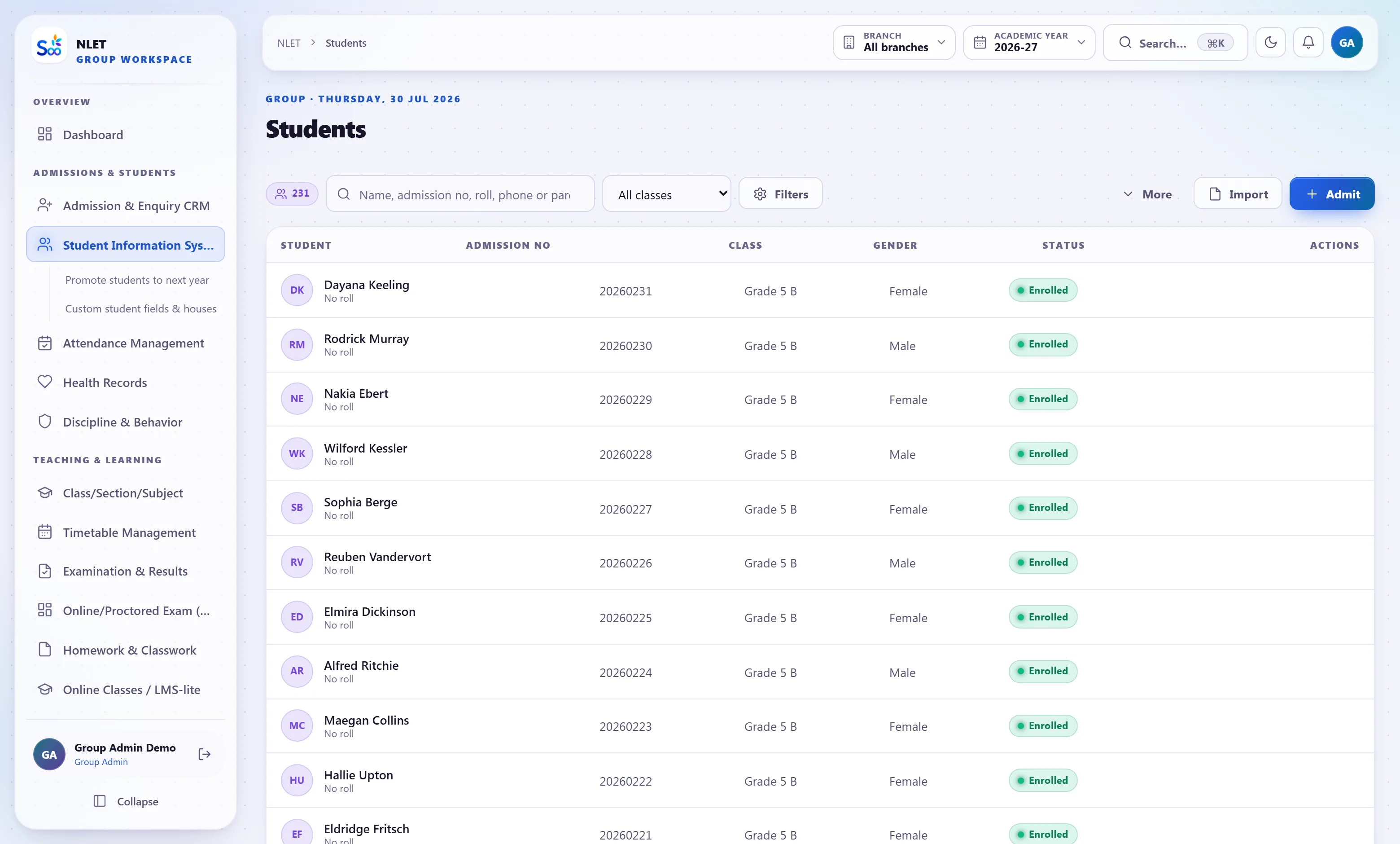
Ten departments, ten pages, one database
These are the modules schools ask about first. Each page explains exactly what the module does, what it does not do, and how it connects to the rest — worth reading before a demo rather than after.
The fee module is an accounting system, not a receipt printer
This is where most school software stops being honest. Printing a receipt is easy. Producing a trial balance that ties to the receipts, a year later, when the concession was reversed and the cheque bounced, is the hard part — and it is the part an auditor asks about.
- 01 Double-entry, event-driven Invoices, payments, refunds, concessions, credit notes and payroll all post journal entries as they happen. The statements are generated from those entries, so they cannot drift from the receipts.
- 02 Periods that close An accounting period can be locked. Once it is, nobody backdates a receipt into a closed month — which is the single most common way school books stop reconciling.
- 03 Online payment with the reconciliation attached Razorpay, PayU, Cashfree and Stripe. The gateway settlement, the receipt and the ledger entry are linked, so a parent’s “I already paid” takes ten seconds to answer.
- 04 GST and TDS where they apply Transport, hostel, uniform and other taxable heads are handled with the right rate and an invoice that stands up. Vendor TDS is deducted and reported.
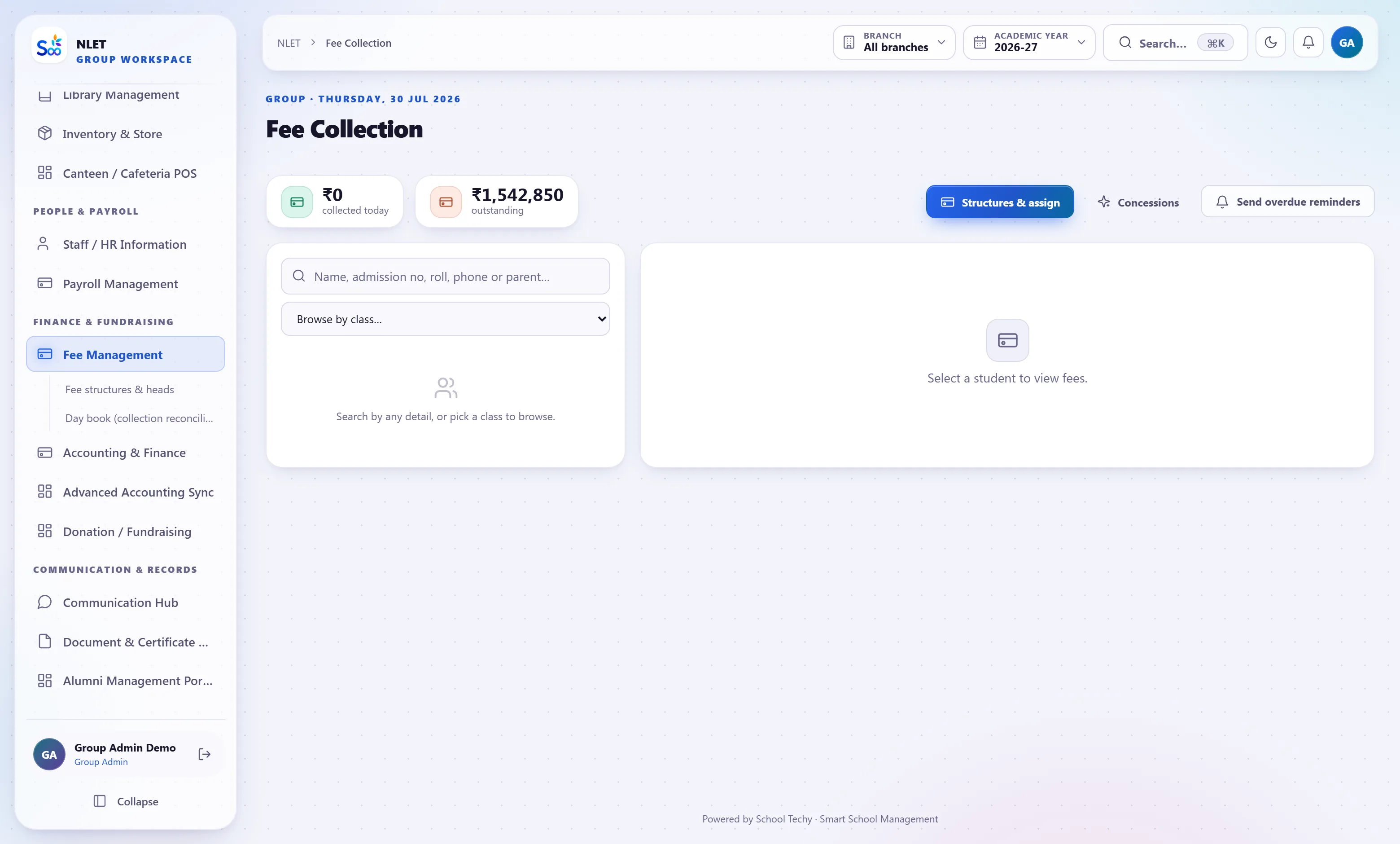
Permissions are enforced in the query, not by hiding a menu item. A teacher asking for “fee dues” gets their own classes; a parent gets their own children; a branch admin gets their own campus. The same rule applies on the phone as in the browser.
Type the question instead of building the report
Ask “today’s attendance”, “fee dues per class”, “top 10 students of class 5” or “which students have low attendance” and the answer comes from your own database. Every answer states the window, the class and the campus it used, so you can check it against the register — and it refuses when it cannot answer instead of guessing.
- 01 It reads your data, not the internet Fifty-nine metrics resolved as live queries against your school. Nothing is sent anywhere for an answer to come back.
- 02 It obeys the same permissions you do A teacher asking gets their own classes. A parent gets their own child. The narrowing happens in the query, so there is no version of the question that leaks.
- 03 It says when it does not know An assistant that invents a collections figure is worse than no assistant. This one declines and tells you which screen has the answer.
One app, four different jobs
Parents, students, teachers and administrators each get the app for their role — not one app with the other three roles greyed out. The same permission rules apply; the phone is not a softer door.
- 01 ParentsFees due and paid online, attendance, report card, bus arrival, leave requests and school notices.
- 02 StudentsTimetable, homework, marks, library issues and exam schedule.
- 03 TeachersMark attendance for their sections, enter marks, set homework, message a class.
- 04 AdministratorsThe day’s collections, absentees and admissions, and approval of what is waiting.
Live in a week, without a project plan
The order matters: classes have to exist before a fee structure can be assigned to them, and students have to exist before attendance means anything. The setup wizard sequences it for you.
Against the way most schools work today
Not against a named competitor — against the spreadsheet-plus-Tally-plus-WhatsApp arrangement that is the real incumbent in most schools.
| What you are comparing | School Techy | Spreadsheets + Tally + WhatsApp |
|---|---|---|
| Where a student’s details live | One row, read by every module | Re-typed into four files |
| Fee receipt → accounts | Posted as it happens | Re-entered at month end |
| Outstanding fees, right now | Live, by class and by student | A morning’s work |
| Absence alert to a parent | Automatic, before 9:30 | A phone call, sometimes |
| Who can see marks | Enforced per role in the query | Whoever has the file |
| Report cards for 800 students | Generated from mark entry | A fortnight of formatting |
| Second campus | Added, with its own staff and comparison reports | A second copy of everything |
| Getting your data out | Export any time, open formats | It is already yours, in fragments |
“The number that changed our mind was not a feature. It was that our outstanding fees figure stopped being a question somebody had to go and work out.”
Priced per school, not per feature
Every plan carries the full student-record core, multi-branch, role-based access and both mobile apps. What changes is how many students and campuses are included — not which parts of the software you are allowed to use.
- Students included
- 500
- Extra students
- Not charged
- Campuses
- 1
- Modules
- 9 of 39
- Free trial
- 14 days
- Students included
- 2,000
- Extra students
- Not charged
- Campuses
- 2
- Modules
- 15 of 39
- Free trial
- 14 days
- Students included
- 8,000
- Extra students
- Not charged
- Campuses
- 5
- Modules
- 26 of 39
- Free trial
- 21 days
- Students included
- Unlimited
- Extra students
- ₹49.00 each
- Campuses
- Unlimited
- Modules
- 39 of 39
- Free trial
- 30 days
Prices exclude GST. Annual billing is discounted against monthly, and a purchase order with cheque or NEFT is fine — . Running several schools under one trust? Ask for a consolidated quote rather than buying per school.
The questions we actually get asked
Something not answered here?
Can you import our existing data?
What happens to our data if we leave?
Do you handle multiple campuses under one trust?
Will SMS to parents actually be delivered?
Is this only for CBSE schools?
How long does it take to go live?
What does it cost beyond the licence?
Can we run it on our own server?
See it with your school’s data in it
Send us a class list and last year’s fee structure before the call. Twenty minutes later you will be looking at your own school, and we will tell you honestly whether this fits.
- No card required
- Your data stays yours — export any time
- Setup help included