
Student information system: the one record every other module reads
Profiles, guardians, siblings, documents, medical notes, discipline history, promotions and transfer certificates. Enter a student once; fees, attendance, marks, transport, hostel and the library all read that same row.
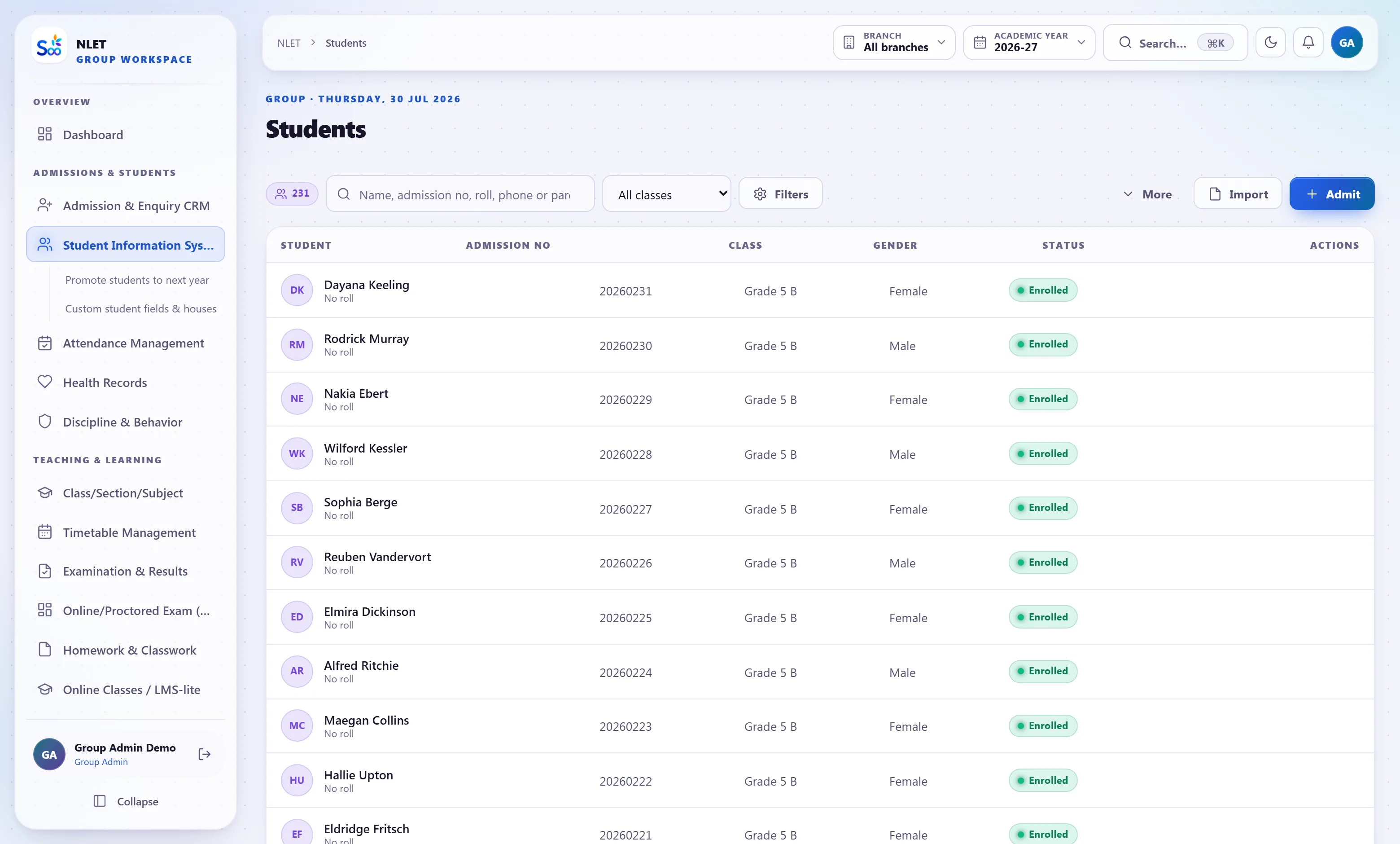
What ships in student information
Counted from the software, not the brochure.Everything about a child, on one screen, in context
A student record that is only a name, a class and a roll number forces every question back to a filing cabinet. This one carries the things a school actually gets asked for at short notice: who is authorised to collect this child, does she have an allergy, when did the guardian’s phone number change, and where is the birth certificate.
- 01 Guardians as people, not fields Father, mother, guardian, emergency contact — each with their own phone, e-mail, occupation and app login. A single mother is not forced into a father field, and a change of number updates everywhere at once.
- 02 Siblings linked both ways Sibling links drive the sibling concession, mean one guardian sees both children in one app, and stop the same family being entered twice.
- 03 Documents attached, with expiry where it matters Birth certificate, Aadhaar, caste certificate, previous marksheet, transfer certificate, medical certificate. Uploaded, verified, and retrievable in a search rather than a cupboard.
- 04 Medical and dietary notes visible to the right people An allergy or a condition is on the record and surfaces to the class teacher and the infirmary — not to everyone with a login, because that is health data.
A new academic year in one afternoon, not a fortnight
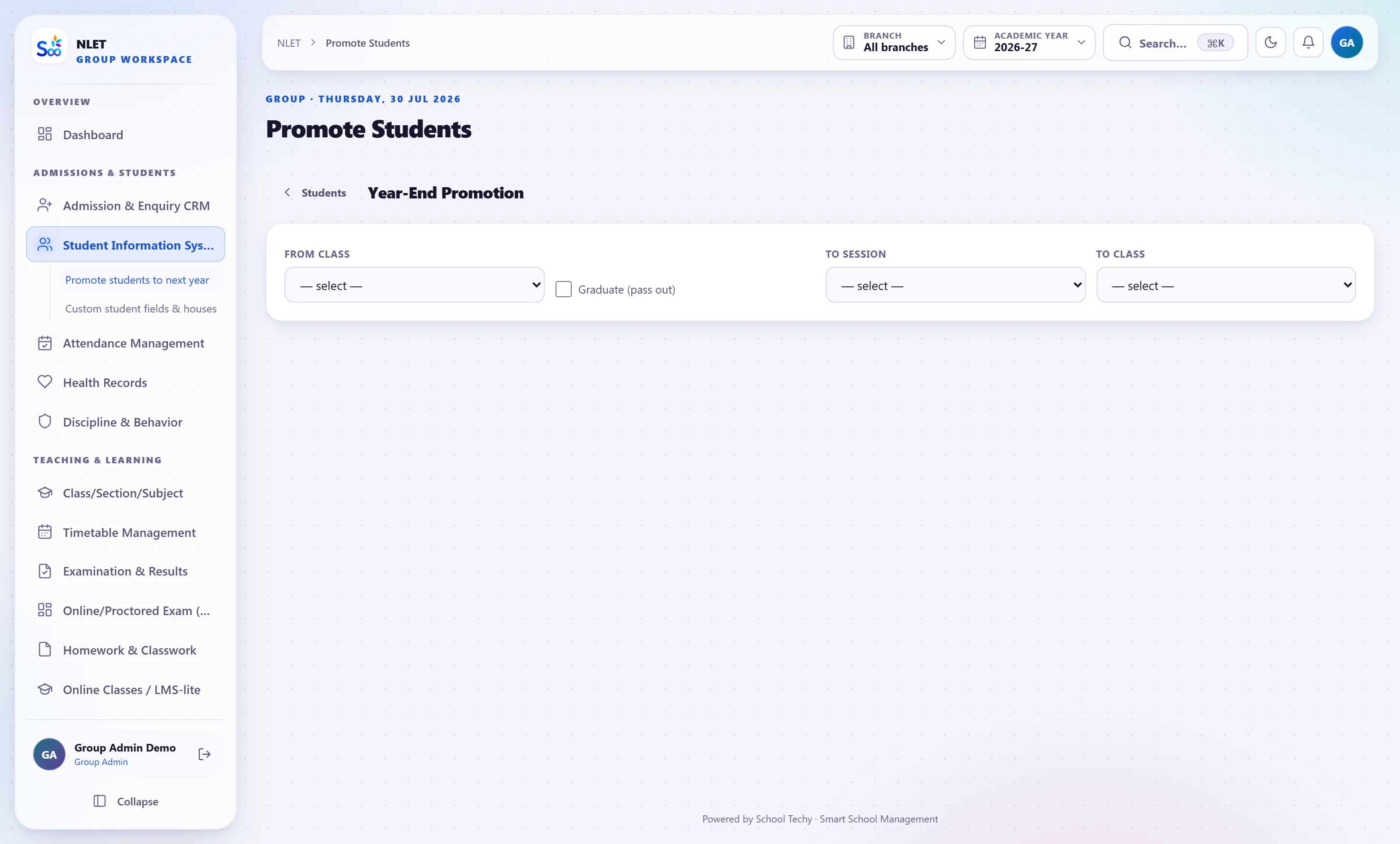
Rolling over a school year is where most systems fail, because it touches everything at once: new sections, new fee structures, new roll numbers, new subject allocations, students who repeat, students who left. Promotion here is a reviewable screen — you set the mapping, see the exceptions, and commit.
- 01 Class-to-class mapping with exceptions Promote Grade 5A to Grade 6A wholesale, then mark the individual retentions and transfers-out. Nothing is decided silently.
- 02 Roll numbers regenerated on your rule Alphabetical, by previous rank, or preserved. Whatever your school does, it is a setting rather than a manual renumber.
- 03 Fee structures follow the new class The promoted student picks up next year’s structure and instalment dates. Last year’s outstanding stays attached to last year, which is what makes the carry-forward auditable.
- 04 History is kept, not overwritten A Grade 9 record still shows the Grade 6 report card, the Grade 7 attendance and who the class teacher was. That is what a transfer certificate and an alumni verification both need.
Transfer certificates that are generated, numbered and verifiable
A transfer certificate is a legal document a parent may present to another school years later. Typing it into Word means the school keeps no reliable copy and the number sequence is whatever somebody remembered. Here it is generated from the record, numbered in sequence, stored, and verifiable by serial from a public page.
- 01 Generated from the record Dates of admission and leaving, class last attended, attendance, conduct and result all come from the data rather than being re-typed and possibly wrong.
- 02 Serial-numbered and stored Every issued certificate keeps its serial, its issue date and who issued it. A duplicate is marked as a duplicate rather than silently re-issued.
- 03 Publicly verifiable Anybody holding the certificate can check the serial on your site and see that it was issued and to whom. That is what makes a certificate worth having.
- 04 Character, bonafide and study certificates too Same machinery, different templates, all editable in the certificate studio.
Everything in the student information module
How the record gets built and kept
What this module does not do
Stated here so it comes up now rather than in month three. If one of these is a hard requirement, tell us on the call and we will say plainly whether it is on the roadmap or not for us.
| You might expect | What we actually do | Status |
|---|---|---|
| A full learning management system with course content | Homework, classwork, online classes and file sharing. Not SCORM courseware or a content authoring tool | Partly |
| Biometric enrolment of student fingerprints from this screen | Biometric attendance devices integrate in the attendance module; enrolment happens on the device | Elsewhere |
| Aadhaar verification against UIDAI | Aadhaar number stored as a record field. No live UIDAI authentication | By design |
| Automatic photograph capture | Bulk photograph upload with matching by admission number. No camera capture in the browser | Not yet |
| Psychological or counselling case files | Discipline and behaviour records, and medical notes. Not a confidential counselling case-file system | Not yet |
| Deleting a student record outright | Students are archived, never hard-deleted, because a certificate may be requested years later | By design |
What student information is wired to
Nothing here is a separate product with an import step. These modules read and write the same student record, which is the entire point.
Student information — questions we get asked
Something not answered here?
How do we get our existing student data in?
Can two guardians each have their own login?
Who can see a student’s medical notes?
What happens to a student who leaves?
Can we transfer a student between our campuses?
Do you generate transfer certificates?
How does promotion handle a student who repeats a year?
Is there a limit on the number of students?
See your own student list in it
Send one class as an Excel. We import it before the call, so what you are looking at is your own children with your own class names.
- No card required
- Your data stays yours — export any time
- Setup help included