
School transport management software: routes, seats and the alert parents wait for
Routes and stops with real seat allocation, per-route fees billed through the same invoices, driver and vehicle compliance dates tracked, and arrival notifications that reach the right parent.
What ships in transport
Counted from the software, not the brochure.Seat allocation that cannot oversubscribe a bus
A route with a fifty-two seat bus and fifty-five allocated students is a problem discovered on a Monday morning by a driver. Allocation here takes a row lock on the route before it counts the seats, so two clerks allocating at the same time cannot both take the last one — which is the kind of thing that only ever goes wrong at admission season, when two people are always working at once.
- 01 Capacity enforced under a lock The seat count is checked and written in one locked transaction. Concurrent allocation cannot oversell a bus.
- 02 Stops in order, with a pick-up time Each stop has a sequence and a scheduled time, so a parent knows when to be at the gate and the driver has a route rather than a list.
- 03 One-way or both ways A student who takes the bus in the morning and is collected in the afternoon is billed for one leg, not two.
- 04 Waiting lists per route A full route holds a waiting list, so the seat that frees up in August goes to the next family instead of to whoever asked most recently.
Transport as a fee head, not a separate ledger
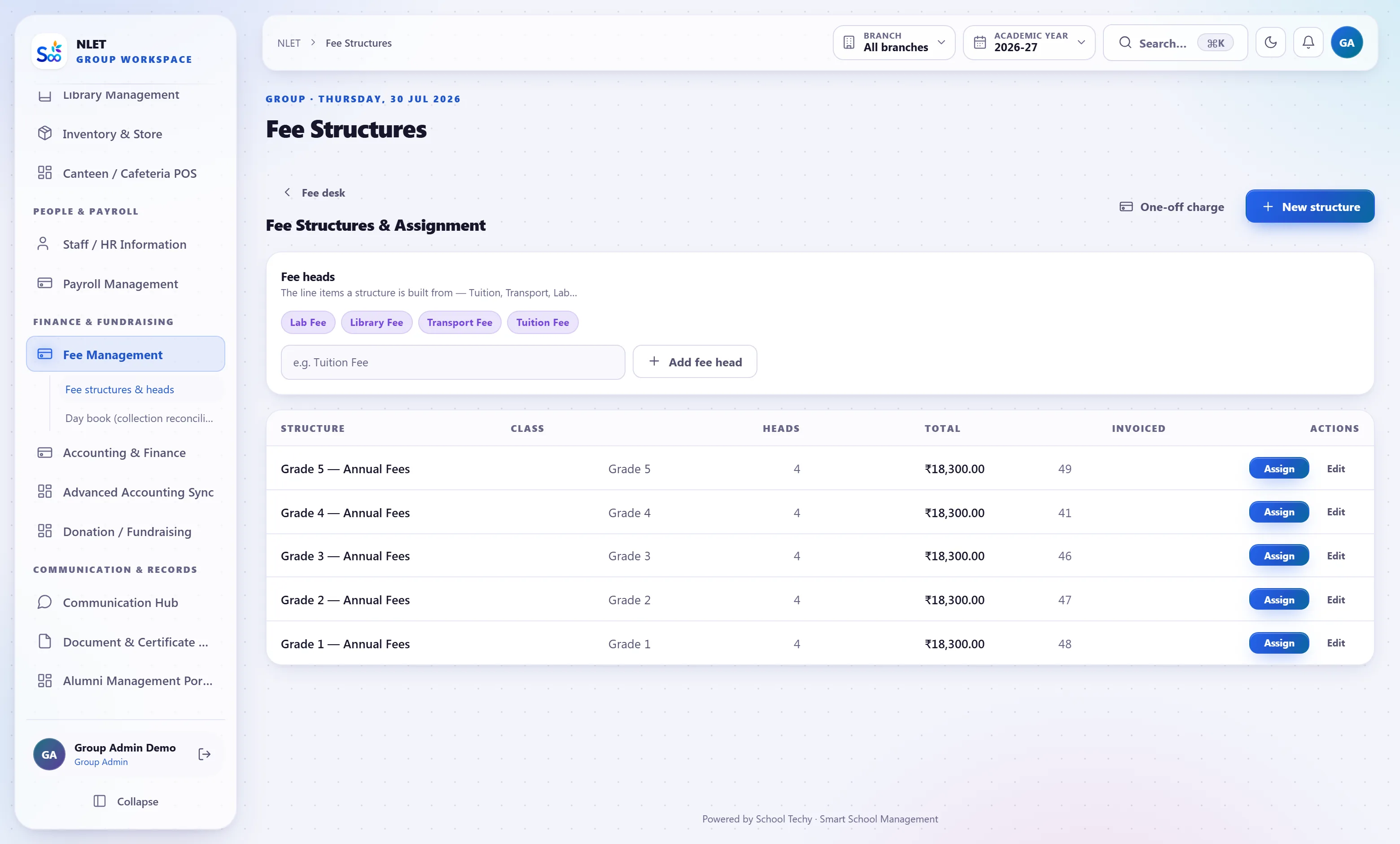
Most schools keep transport money in a different place from school fees, and then reconcile the two by hand. Here the route drives a transport fee head on the student’s normal invoice: join a route and it is billed, leave and it stops. The receipt, the outstanding figure and the ledger entry are the same ones the tuition fee uses.
- 01 Priced per route or per stop distance Whichever your school uses. A change in the route price flows to every student on it at the next instalment.
- 02 Joining and leaving mid-year is pro-rated A student who starts using the bus in September is billed from September, not from April, and the adjustment is on the invoice rather than in a note.
- 03 One receipt for the parent Tuition and transport on the same invoice and the same online payment. Parents do not pay twice or ask which one they have paid.
- 04 It lands in the accounts as transport income Posted to its own income head, so the transport operation’s income and its fuel and maintenance costs can actually be compared.
The documents an RTO inspection asks for, with their expiry dates
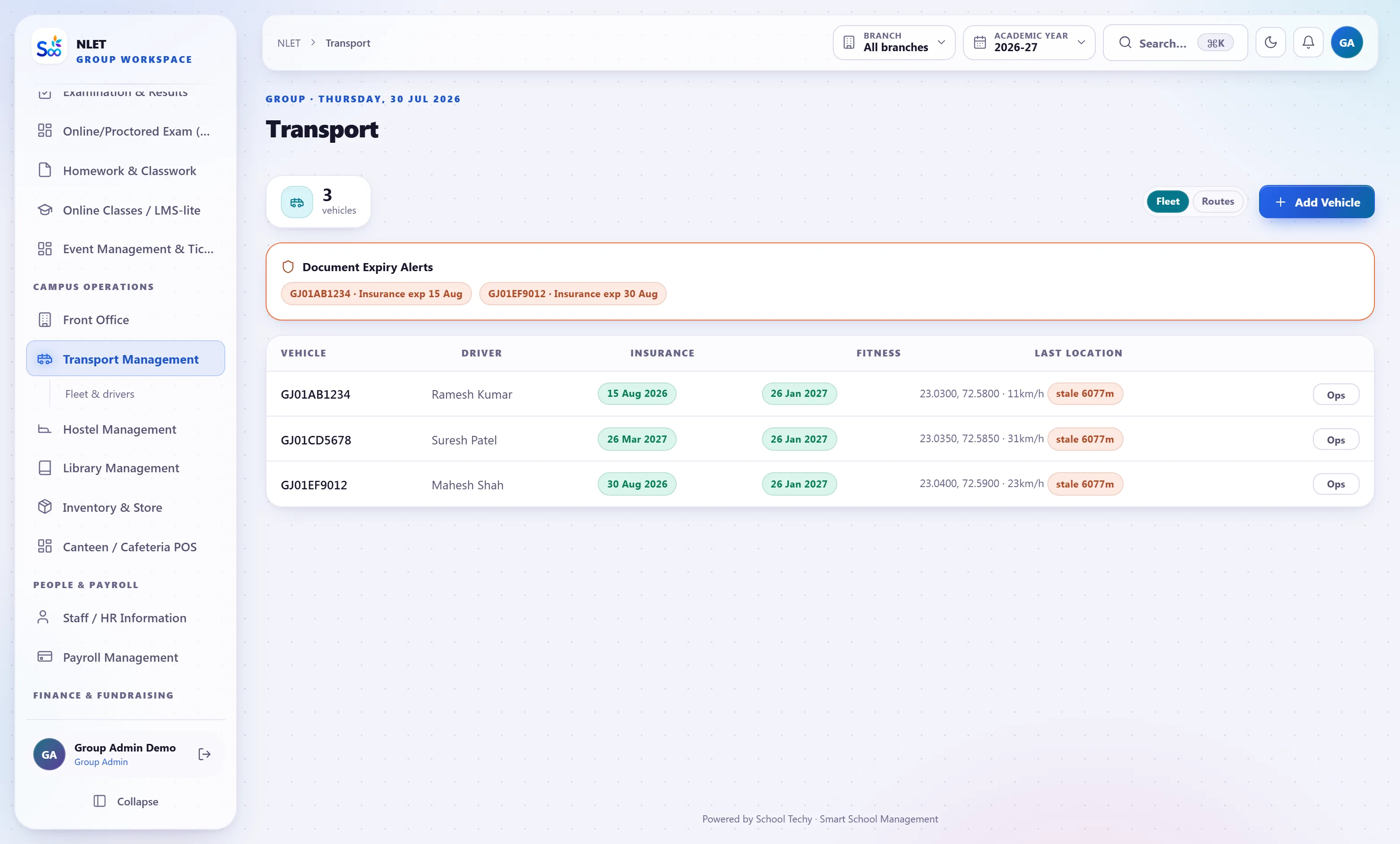
School transport is the part of a school most exposed to regulation and to a parent’s worry. Vehicles, drivers, attendants and their documents are recorded with expiry dates, and the ones expiring are on a list rather than in a folder — because an insurance certificate that lapsed in April is only ever discovered at the worst possible moment.
- 01 Vehicles with fitness, insurance, permit and PUC dates Each with its expiry, and a list of what expires in the next thirty days.
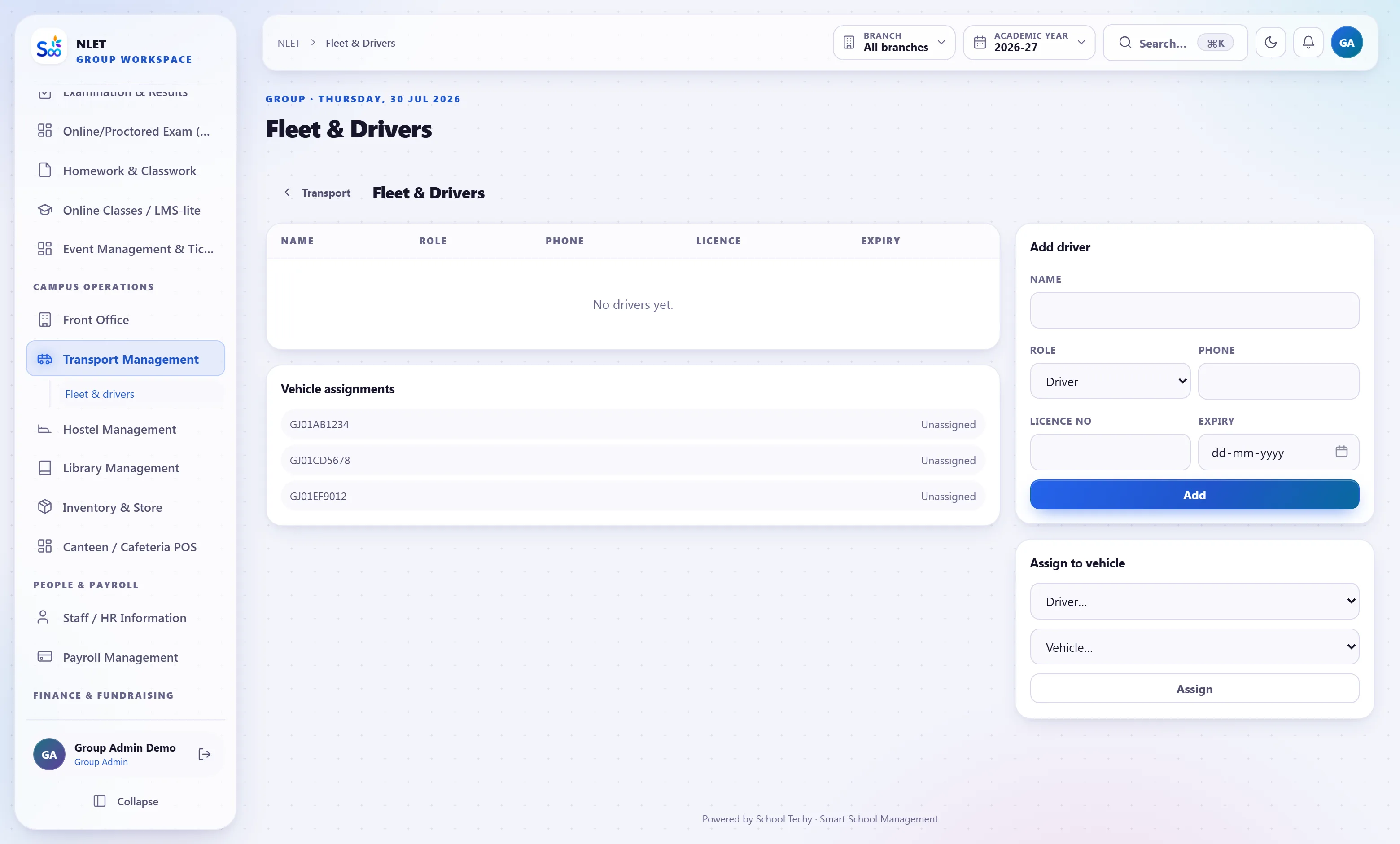
- 02 Drivers and attendants with licence expiry Plus police verification and medical check dates where your school records them.
- 03 Maintenance and fuel log Servicing, repairs and fuel against each vehicle, so cost per route is a number rather than an impression.
- 04 Trip log per day Which vehicle ran which route, driven by whom. Useful for a cost review and necessary after an incident.
Everything in the transport module
Setting up, and running a term
What this module does not do
Stated here so it comes up now rather than in month three. If one of these is a hard requirement, tell us on the call and we will say plainly whether it is on the roadmap or not for us.
| You might expect | What we actually do | Status |
|---|---|---|
| Live GPS without a tracker fitted | GPS features need a tracking device in the vehicle. Without one, alerts can be triggered manually by the driver app | Depends |
| Route optimisation that plans the stops for you | You define the route and the stop order. There is no solver that redesigns routes from student addresses | Not yet |
| Turn-by-turn navigation for drivers | The stop list and sequence. Navigation is left to the map app the driver already uses | By design |
| Automatic detection that a child boarded | Optional manual boarding marks at each stop. No RFID or face-based boarding detection | Partly |
| Tracking a child’s location off the bus | Vehicle tracking only. We will not track children | Not for us |
| Third-party fleet telematics integration | GPS position from supported trackers. No integration with a full telematics platform today | Not yet |
What transport is wired to
Nothing here is a separate product with an import step. These modules read and write the same student record, which is the entire point.
Transport — questions we get asked
Something not answered here?
Do we need GPS trackers for the parent alerts?
How does the transport fee work when a student stops using the bus?
Can two people allocate the last seat at the same time?
Do you track vehicle document expiry?
Can a route be priced by distance rather than a flat fee?
Does a parent get alerts for the right bus only?
Can we tell whether a child actually boarded?
Is the transport operation’s profitability visible?
See your own routes and seat counts
Send your route list with stops and capacities. We load them before the call so you can allocate a real student to a real seat.
- No card required
- Your data stays yours — export any time
- Setup help included