
Attendance management software: marked by 9:30, parents told by 9:35
Daily and period-wise marking, biometric devices or a phone in a teacher’s hand, automatic absence alerts to parents, leave requests, and a register that reconciles at the end of the term.
What ships in attendance
Counted from the software, not the brochure.Designed to be finished before the first period ends
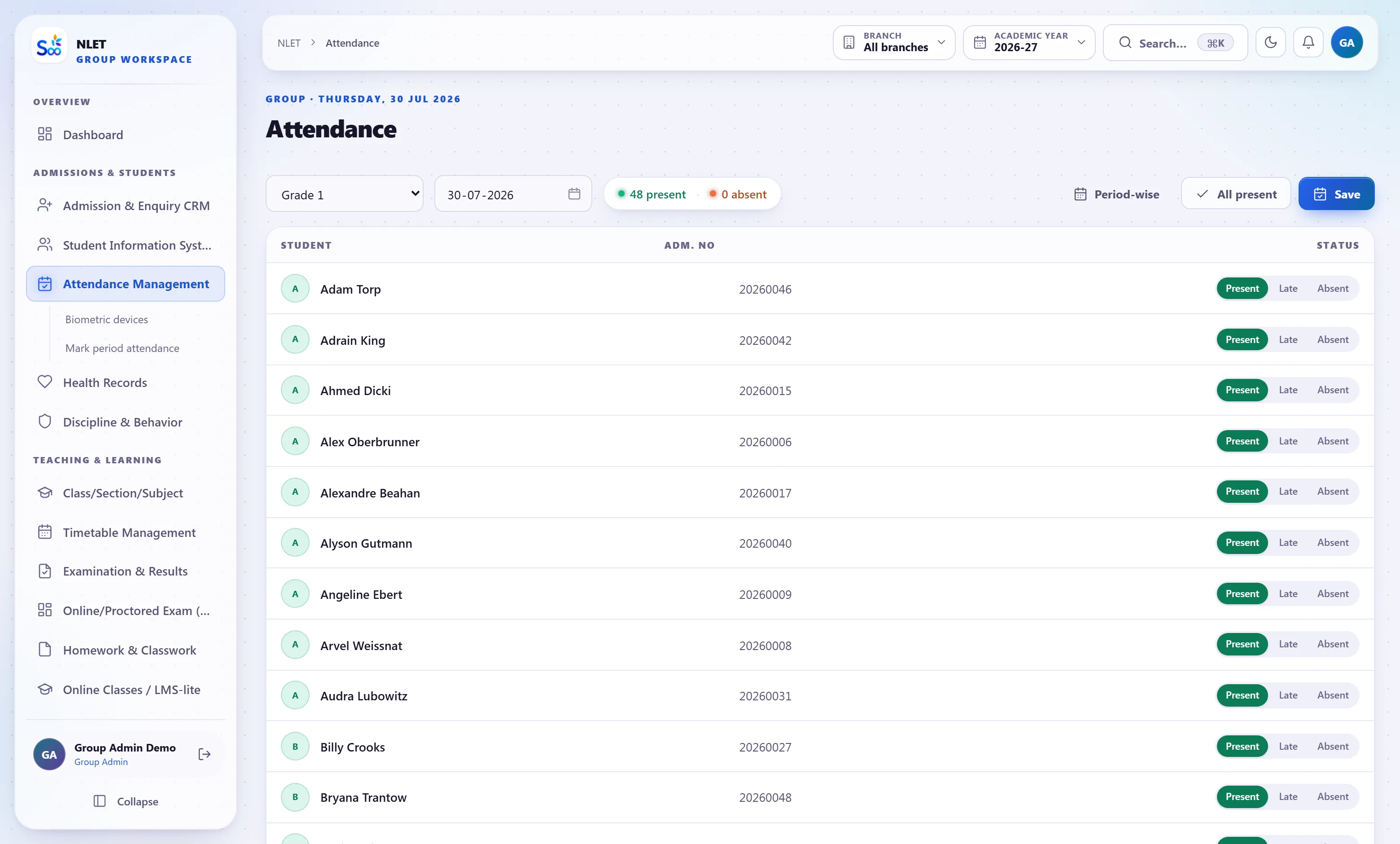
Attendance software fails on speed, not features. If marking a section takes a teacher two minutes, it happens at lunch, and an alert at lunch is useless. The register opens with the whole section marked present and the teacher taps the four who are not — which takes about fifteen seconds and is the reason this actually gets used.
- 01 Present by default, exceptions tapped The common case is one action. Absent, late and half day are one tap each, with an optional remark.
- 02 On a phone, in the classroom The teacher app marks their own sections only. No laptop, no walking to the office, no paper slip that has to be re-keyed.
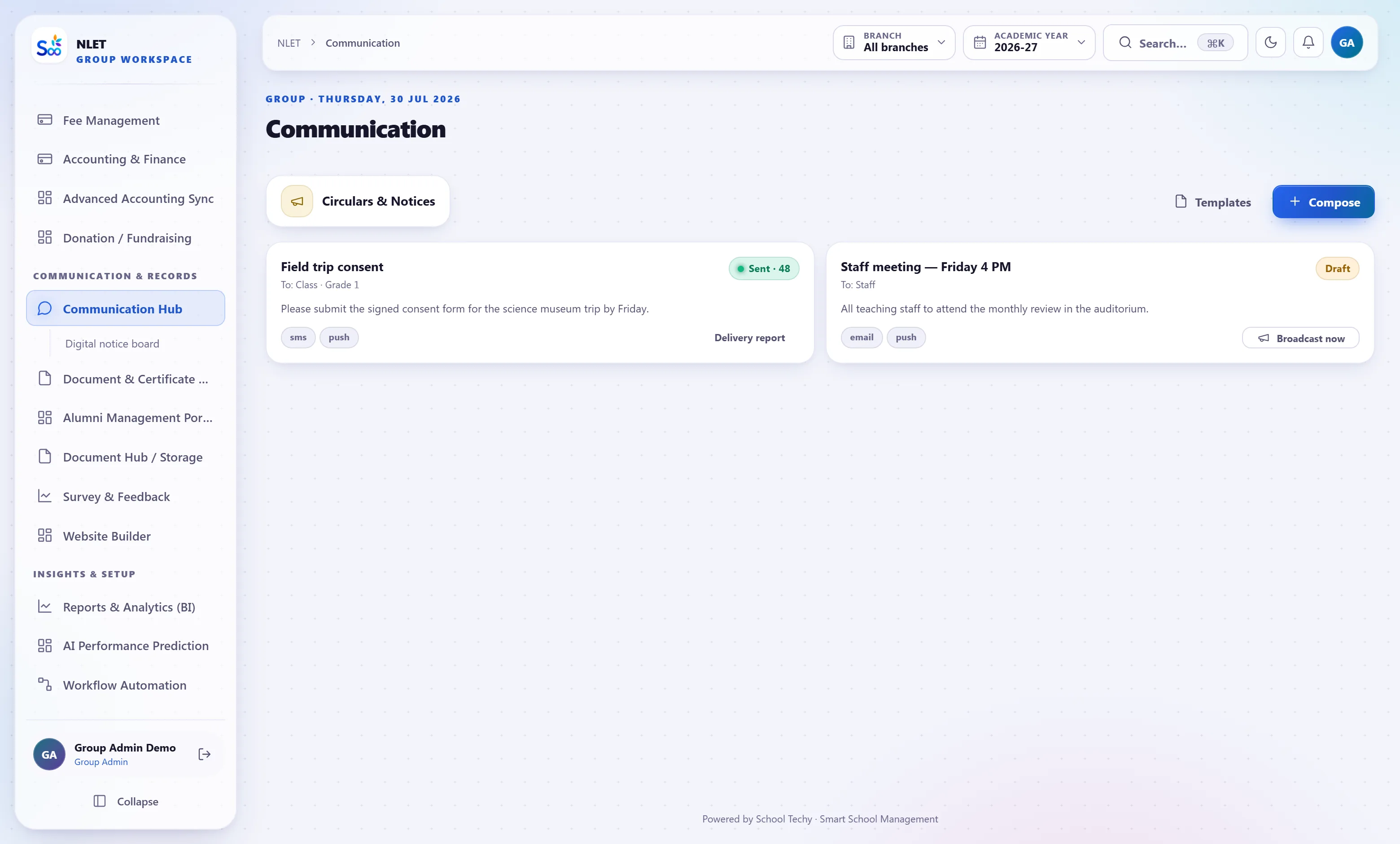
- 03 Period-wise where it matters Senior classes and coaching institutes can mark per period against the timetable, so a student who left after lunch is recorded accurately.
- 04 Locked after a window The register closes after a time you set. Changes after that need a reason and are recorded — which is what makes the register defensible.
The feature parents actually remark on
Of everything in the system, the same-morning absence alert is what parents notice first. A message that arrives at 9:35 saying a child is not in school is genuinely useful; the same message at 4pm is a formality. This is also where an Indian regulatory detail decides whether the feature works at all.
- 01 Sent automatically, once, per absent child Not a bulk broadcast to all parents. One message to the guardians of the students actually absent, on WhatsApp, SMS or e-mail.
- 02 SMS needs a DLT-registered template An unregistered message is silently dropped by the operator while software reports “sent”. We therefore require an approved template before a campaign can go out. Inconvenient once; honest afterwards.
- 03 Read the delivery report, not the send log The delivery report is the number that tells you the truth about what reached a phone. It is on the same screen, deliberately.
- 04 Approved leave suppresses the alert A parent who applied for leave in the app does not get a message telling them their child is missing.
Biometric devices, and leave that does not arrive on a scrap of paper
Where a school already has fingerprint or RFID devices at the gate, they can feed the same register rather than producing a second set of numbers nobody reconciles. And leave — student and staff — is applied for, approved and recorded in the system, so “was that absence authorised?” has an answer.
- 01 Device punches map to register entries Gate punches become attendance for the day, with the manual register available for corrections. One source of truth rather than two lists that disagree.
- 02 Late arrival by actual time A punch after the cut-off is marked late automatically, which removes the argument about who decided.
- 03 Leave requests in the parent app A parent applies with dates and a reason, the class teacher or principal approves, and the register shows approved leave rather than an unexplained absence.
- 04 Staff attendance and leave too The same machinery covers staff, and staff leave feeds payroll — so an unpaid day is deducted without a separate spreadsheet.
Everything in the attendance module
A day, and a term
What this module does not do
Stated here so it comes up now rather than in month three. If one of these is a hard requirement, tell us on the call and we will say plainly whether it is on the roadmap or not for us.
| You might expect | What we actually do | Status |
|---|---|---|
| Face-recognition attendance from a camera | Fingerprint and RFID device integration. No facial recognition, and we are not planning it | Not for us |
| GPS-based attendance from a student’s phone | Teacher-marked and device-marked attendance only. Location-tracking students is not something we will build | Not for us |
| Automatic bank-grade audit certification of the register | A full correction trail with actor, time and reason, and a lock window. Not an external certification | By design |
| Real-time push to a state attendance portal | Export in the format the portal wants. No live API integration today | Not yet |
| Attendance for online class participation | Online classes record joins; that is separate from the statutory register by design | Elsewhere |
| Unlimited retention on the live table | Older years move to an archive table on a policy you configure, so the live register stays fast. Nothing is deleted | By design |
What attendance is wired to
Nothing here is a separate product with an import step. These modules read and write the same student record, which is the entire point.
Attendance — questions we get asked
Something not answered here?
How long does it take a teacher to mark a section?
Will the SMS alert actually reach parents?
Can we use our existing biometric devices?
Do you support period-wise attendance?
What stops a teacher changing attendance a week later?
How do parents apply for leave?
Is attendance on the report card automatic?
What happens to years of old attendance?
Mark one real day and see the alert arrive
The fastest way to judge this is to put one class in and mark one register. Twenty minutes, and you have seen the marking screen, the parent message and the percentage all read the same row.
- No card required
- Your data stays yours — export any time
- Setup help included