
Timetable management software that cannot double-book a teacher
Period grids built against teacher load, room capacity and subject requirements, with clashes refused rather than warned about — and same-day substitutions that reach the right phone.
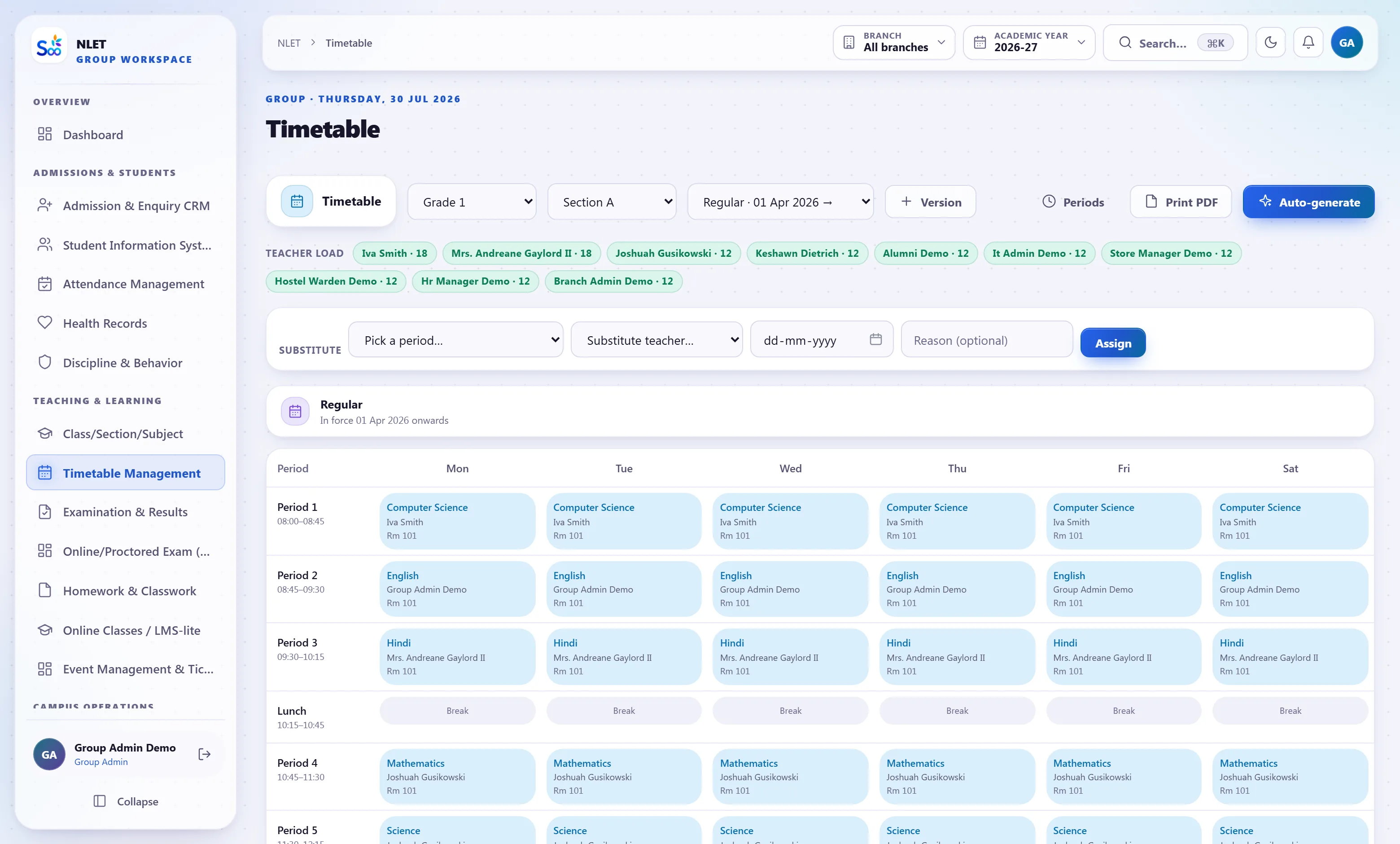
What ships in timetable
Counted from the software, not the brochure.The constraints are the feature
Any software can draw a grid. What makes a timetable usable is that it refuses to let you make the mistakes that take a fortnight to find: the same teacher in two rooms at once, a physics practical in a room with no lab, or a teacher carrying thirty-eight periods a week while a colleague carries twelve. Those checks run on every assignment, not in a validation pass at the end.
- 01 A teacher cannot be in two places Assigning an already-busy teacher to a period is refused with the conflicting class named. Not a warning you can click past.
- 02 Rooms have capacity and type A lab period needs a lab. A section of fifty does not fit a room for thirty. Both are checked at assignment.
- 03 Weekly load per teacher, visible while you build The running period count per teacher is on the screen, so an unbalanced allocation is obvious before it is published rather than in week three.
- 04 Subject requirements per class Set how many periods a week each subject needs; the grid shows what is still unallocated instead of letting you publish a class short of two maths periods.
The 8:40am problem
A teacher calls in sick at twenty to nine. Somebody has to find five free teachers, write it on a board, and hope everyone reads it. This is the most frequent timetable task in any school and the one most software ignores entirely. Here you mark the absence and the system lists who is genuinely free for each of that teacher’s periods, ordered by who has the lightest load this week.
- 01 Free teachers, not all teachers The list for each period excludes anyone already teaching, on leave, or over their weekly cap. It is a shortlist you choose from, not a staff directory.
- 02 Load-aware ordering Suggestions are ordered by lightest current load, so substitutions do not always land on the same obliging person.
- 03 Notified to the phone, not the noticeboard The substitute gets a notification with the class, period and room. The students’ timetable view updates for that day too.
- 04 Recorded, so it can be counted Substitutions accumulate against a teacher, which is the figure to look at when somebody says the load is unfair.
One grid, four ways of looking at it
A timetable is not one document. The class needs its week, the teacher needs theirs, the lab in-charge needs the room’s, and a student wants today on a phone between periods. All four are the same data, so a substitution or a room change appears in every view at once instead of in one printed copy and not the other three.
- 01 Class, teacher, room and student views Generated from the same grid. Printable for the staff room, and live in the app.
- 02 Today on a phone Students and teachers see the current day with the next period highlighted, including any substitution made this morning.
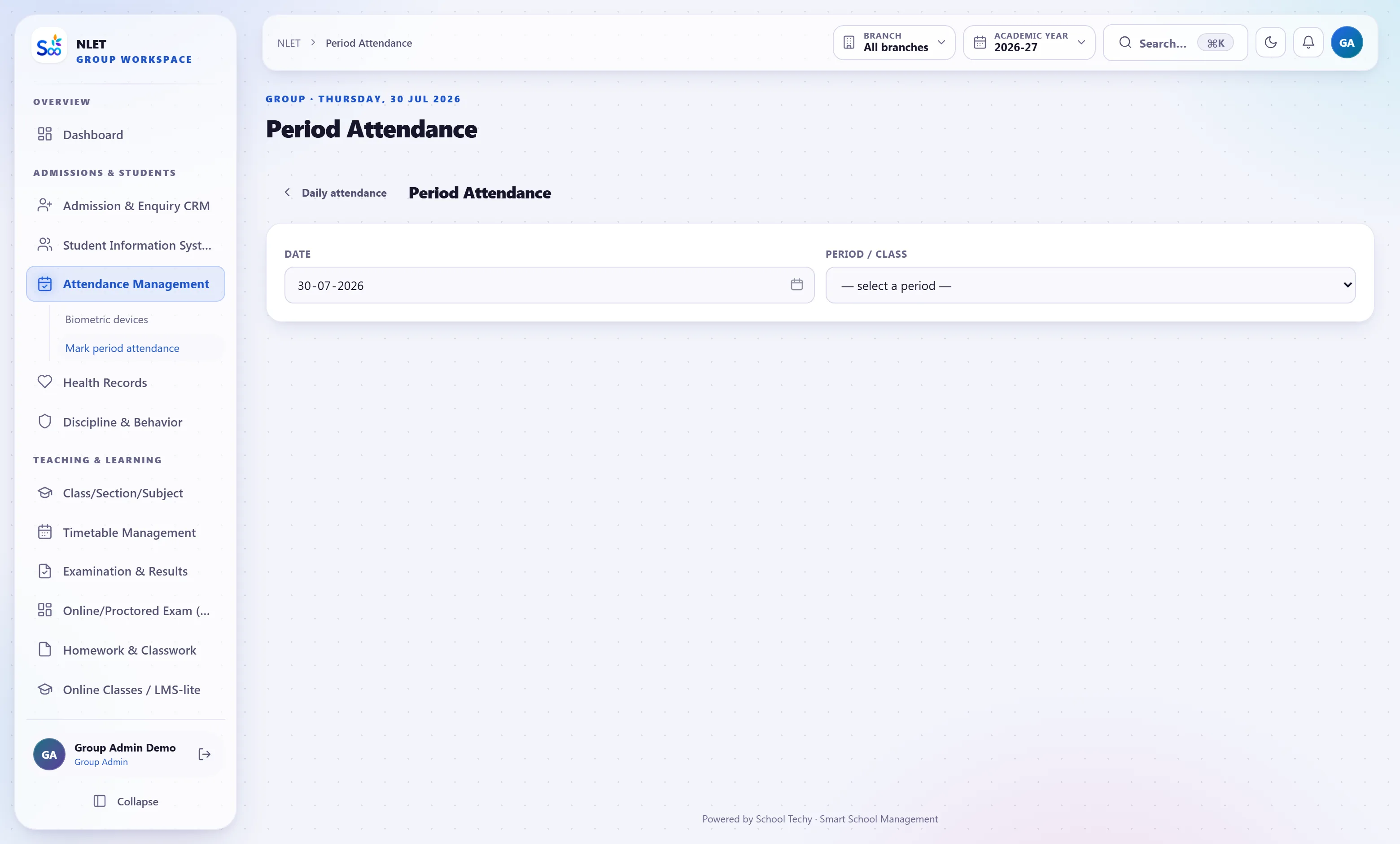
- 03 Period-wise attendance reads it Attendance marked per period uses the timetable, including substitutions, so the register credits the right teacher.
- 04 Versioned when you republish A revised timetable supersedes the previous one with a date, so “which version are we on” has an answer.
Everything in the timetable module
From a blank grid to a running week
What this module does not do
Stated here so it comes up now rather than in month three. If one of these is a hard requirement, tell us on the call and we will say plainly whether it is on the roadmap or not for us.
| You might expect | What we actually do | Status |
|---|---|---|
| Fully automatic generation of an optimal timetable | Constraint checking, load balancing and shortfall tracking while a human allocates. Not a solver that produces the whole grid unattended | By design |
| Teacher preference optimisation (no first periods, free Fridays) | Weekly caps and clash prevention. Individual preference weighting is not modelled | Not yet |
| Exam seating plans and invigilation rosters | The free-period finder helps assign invigilators. Seating plans are not generated | Partly |
| Multi-week rotating cycles | A weekly cycle, with per-day variation. A two-week rotating cycle is not supported today | Not yet |
| Integration with an external timetabling engine | CSV import and export of the grid. No live integration with third-party timetabling software | Not yet |
| Automatically choosing the substitute for you | A ranked shortlist of genuinely free teachers. The choice stays with the person who knows the staff room | Not for us |
What timetable is wired to
Nothing here is a separate product with an import step. These modules read and write the same student record, which is the entire point.
Timetable — questions we get asked
Something not answered here?
Does it generate the timetable automatically?
How does a substitution actually work?
Can a teacher be shared between two campuses?
Do you handle labs and specialist rooms?
Can teachers see their timetable on a phone?
What about a six-day week with a short Saturday?
Can we print the staff-room copy?
How long does a first timetable take to build?
Build one class’s week on the call
Bring your period structure and one class’s subject allocation. Twenty minutes and you will have seen a clash refused and a substitution arranged.
- No card required
- Your data stays yours — export any time
- Setup help included