
Payroll and HR software that posts itself to the school's books
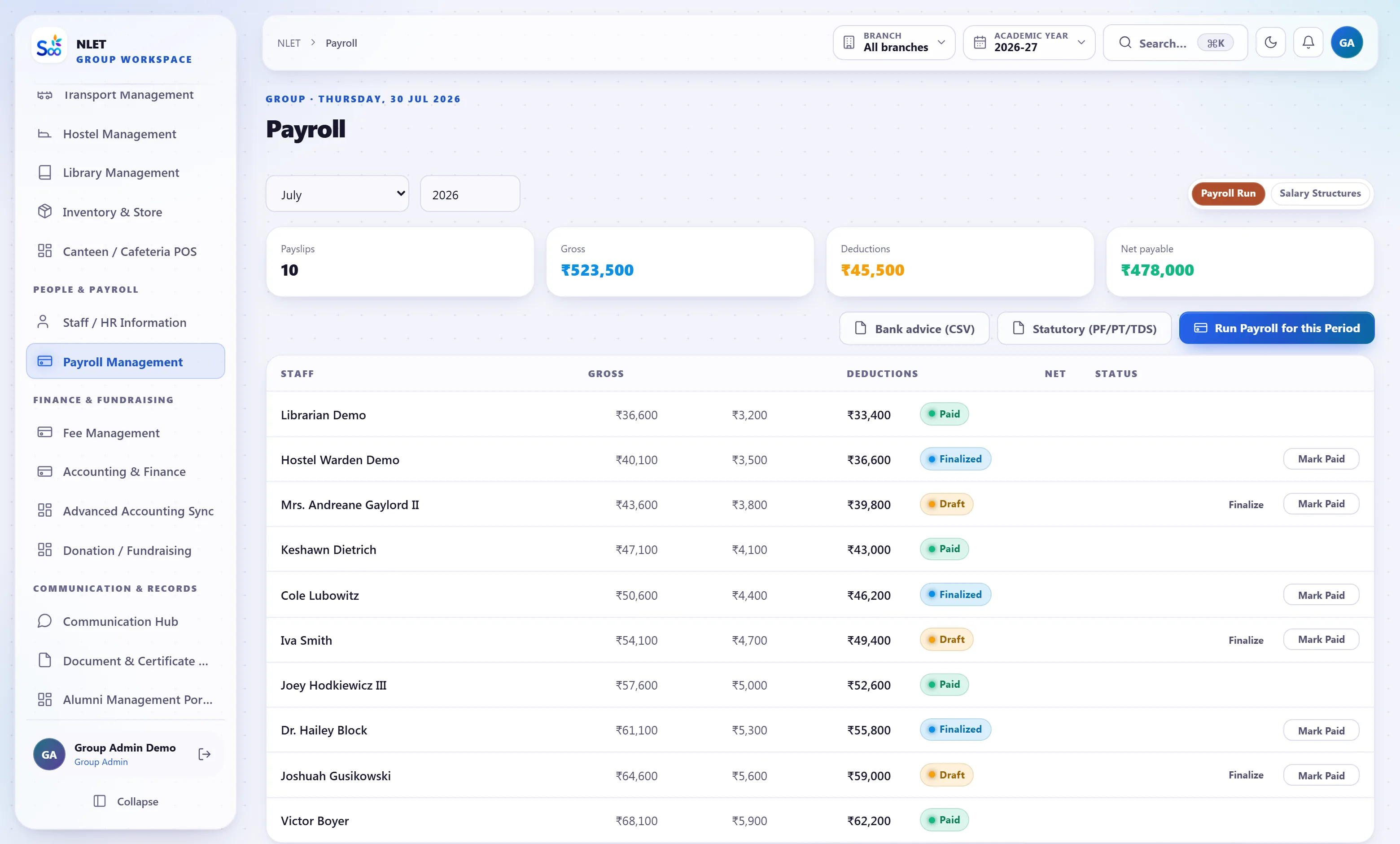
Staff records, leave, salary structures, PF, ESI, professional tax and TDS, payslips staff can download — and every salary run posted to the same ledger as the fees, so income and expenditure is one statement.
What ships in hR & payroll
Counted from the software, not the brochure.The file a school actually needs to produce
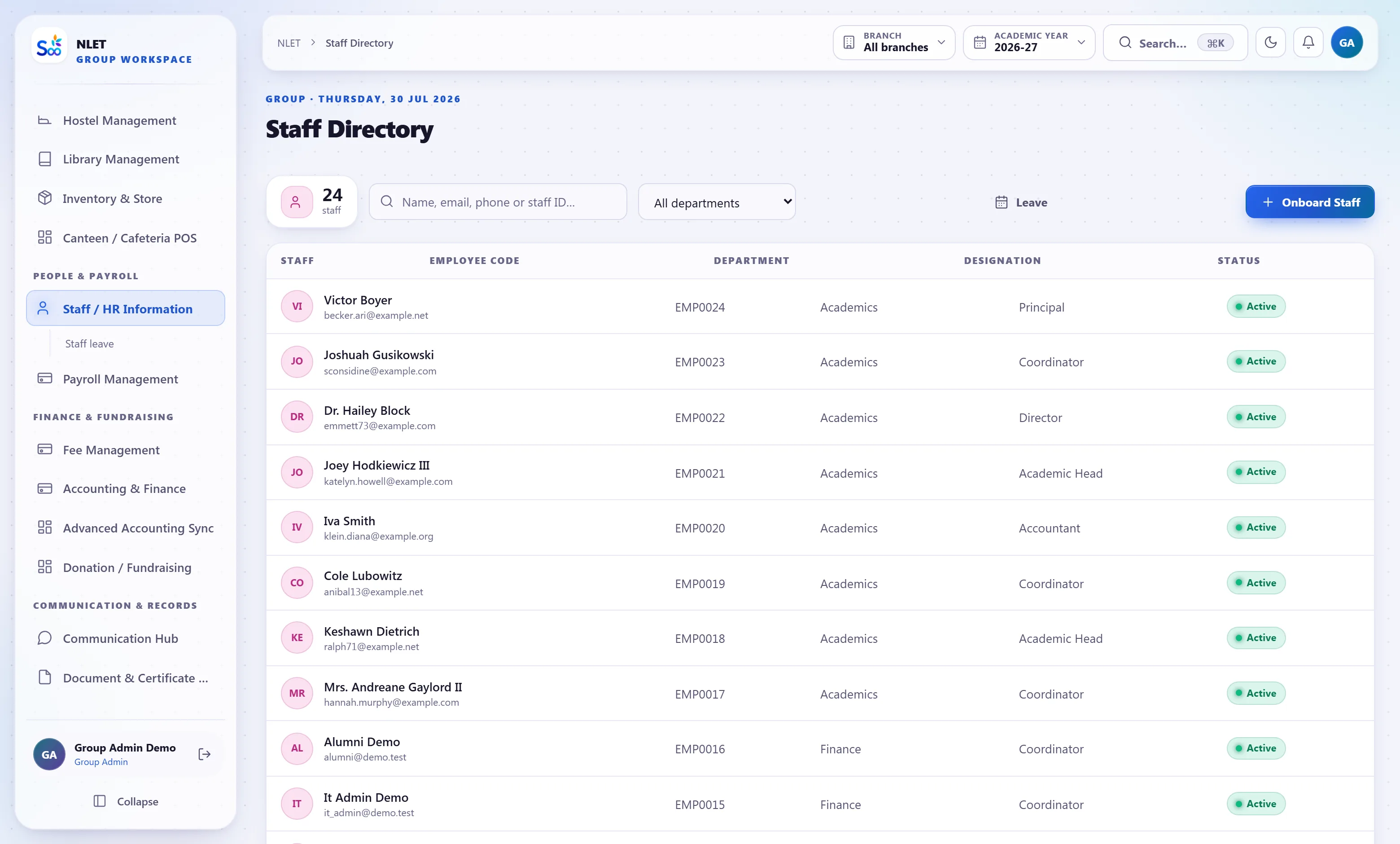
Teaching staff records get asked for by inspections, affiliations and audits, and the request is always for the same things: qualifications, appointment letter, police verification, and the dates on all of them. Kept in a cupboard, assembling that takes a week. Kept here, it is a screen.
- 01 Qualifications and appointment history Degrees, B.Ed, training, subjects qualified to teach, and every designation held with its date.
- 02 Documents with expiry where it applies Appointment letter, police verification, medical certificate, contract end date. What expires in the next month is a list.
- 03 Teaching and non-teaching, on the same footing Drivers, attendants, office staff, wardens and mess staff are staff, with their own leave and salary rules.
- 04 Departments, reporting and roles Who reports to whom, and which of the seventeen system roles each person holds — which is what decides what they can see.
Leave that reaches the salary run without being re-typed
The gap that costs schools money every month: the leave register is one book, the salary sheet is another, and somebody transcribes between them. Here leave is applied for, approved and accrued in the system, staff attendance is marked in the same system, and the salary run reads both. An unpaid day is deducted because the leave record says so.
- 01 Leave types with accrual and carry-forward Casual, earned, medical, maternity and vacation — each with its own accrual rate, annual cap and carry-forward rule.
- 02 Applied for and approved in the app A teacher applies on their phone, the principal approves, the balance updates. No form on a desk.
- 03 Loss of pay flows to payroll Leave without balance becomes an unpaid day and is deducted in that month’s run. Nobody calculates it separately.
- 04 Substitutions follow the absence An approved teacher absence is what the timetable module uses to offer substitutes for that day’s periods.
One run, with the statutory arithmetic already done
A salary structure is components — basic, DA, HRA, conveyance, special allowance — plus deductions, some of which are statutory and have rules that change. The run applies the structure, computes PF and ESI on the right wage base, applies professional tax for the state, deducts TDS against the projected annual liability, and posts the whole thing to the ledger as a set of journal entries.
- 01 Salary structures per grade Components as amounts or percentages, assigned per grade and overridable per person, with an effective date so a revision does not rewrite history.
- 02 PF, ESI and professional tax Computed on the correct wage base with employer and employee shares separated, and the state’s PT slab applied.
- 03 TDS against a projected annual liability Rather than a flat guess, with declarations and proofs recorded, so March is not a reconciliation crisis.
- 04 Posted to the ledger, not exported to it Gross salary as an expense, deductions as liabilities, net as a bank payment. The income and expenditure statement includes payroll because payroll wrote to it.
Everything in the hR & payroll module
How a payroll month runs
What this module does not do
Stated here so it comes up now rather than in month three. If one of these is a hard requirement, tell us on the call and we will say plainly whether it is on the roadmap or not for us.
| You might expect | What we actually do | Status |
|---|---|---|
| Filing PF, ESI and TDS returns on your behalf | Correct computation and the reports and challans your accountant needs. Filing is done by you or your CA | By design |
| Form 16 generated as a signed PDF | The underlying data and a downloadable statement. The signed Form 16 comes from your TDS filing utility | Partly |
| Recruitment, applicant tracking and interviews | Staff records from appointment onwards. Hiring pipeline is not modelled | Not yet |
| Appraisal and performance review cycles | Designation history and remarks. No structured appraisal cycle with ratings | Not yet |
| Gratuity and pension scheme administration | Recorded as components where you pay them. Not an actuarial administration module | Partly |
| Multi-state payroll for staff in several states | Professional tax per staff member’s state is applied. Broader multi-state complexity should be discussed before you buy | Depends |
What hR & payroll is wired to
Nothing here is a separate product with an import step. These modules read and write the same student record, which is the entire point.
HR & payroll — questions we get asked
Something not answered here?
Does payroll really post to the same ledger as the fees?
Do you compute PF and ESI correctly?
How is TDS on salary handled?
Can leave without balance become a salary deduction automatically?
Can a salary revision be backdated?
Do staff get their own payslips?
Are non-teaching staff handled?
Can each campus in a group run its own payroll?
Run one month of your own payroll
Bring one department’s salary structure and last month’s leave register. On the call you will see the run, the deductions and the journal entries it posts.
- No card required
- Your data stays yours — export any time
- Setup help included